
A tour of the platform
StarCaster is one console for building a website, filling it with content, publishing that content across the social web, and keeping track of the people who respond. Below is what that actually looks like on screen — ten features, in the order you would meet them.
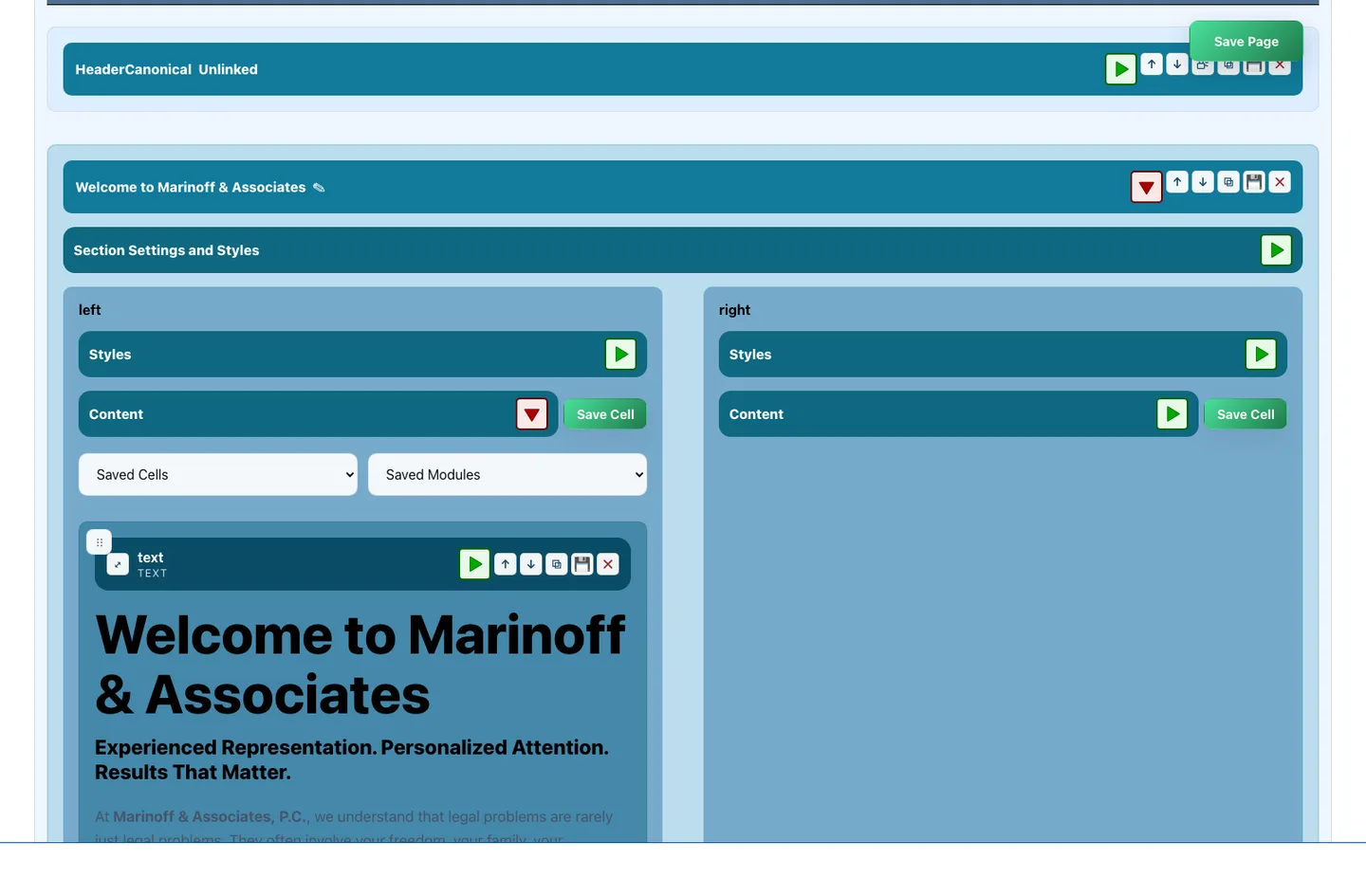
Pages are assembled on a live canvas from rows, columns, and modules you drag into place. Click anything to open its settings and the change appears immediately, in the same view you are editing. There is no template to fight and no code to write. What you arrange is what visitors get.
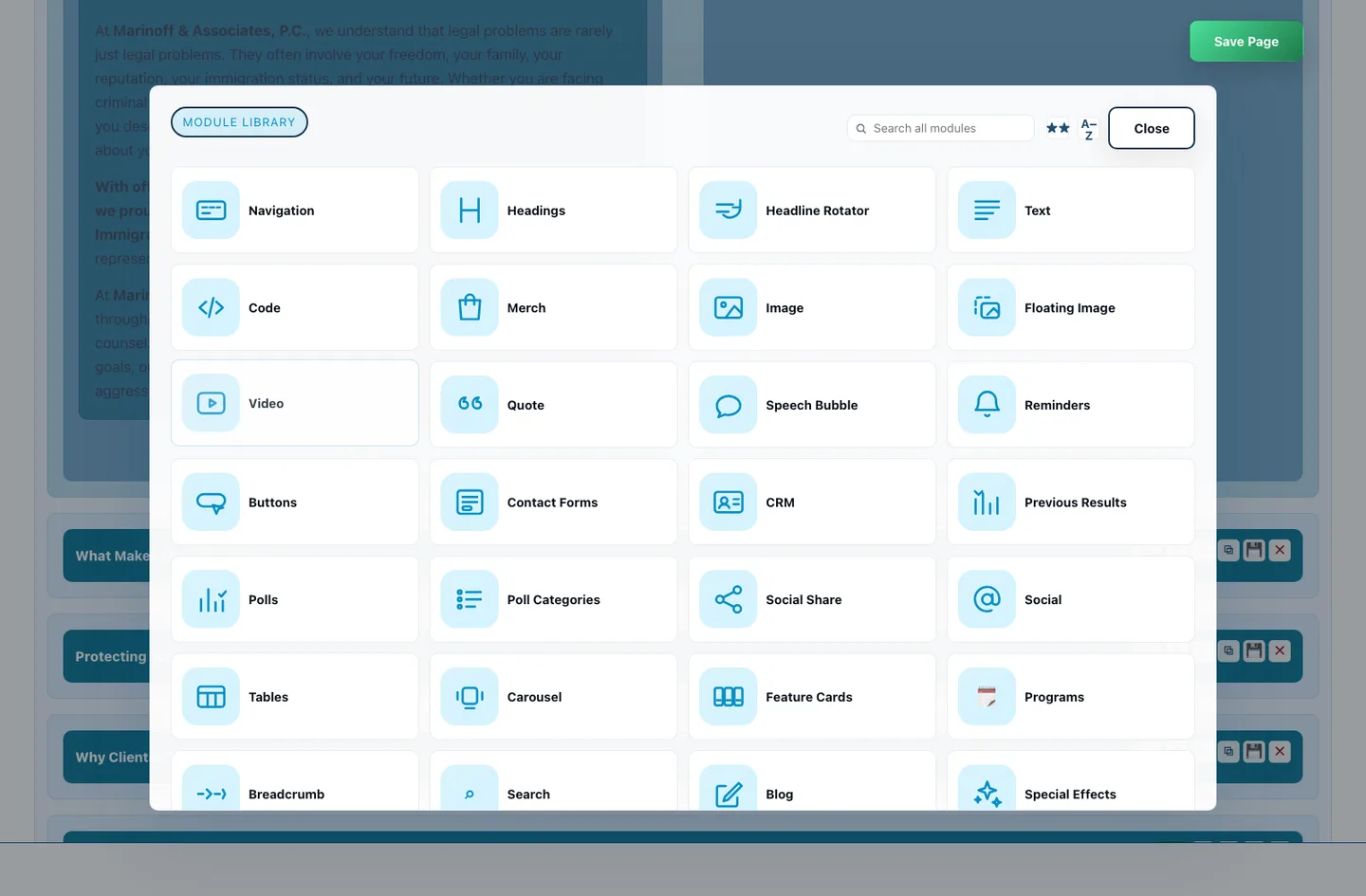
Dozens of building blocks ship ready to place: rich text, images, galleries, carousels, navigation, buttons, forms, polls, tables, blog feeds, social icons, code embeds and more. Every one of them carries the same settings vocabulary — background, border, spacing, alignment — so learning one teaches you all of them.
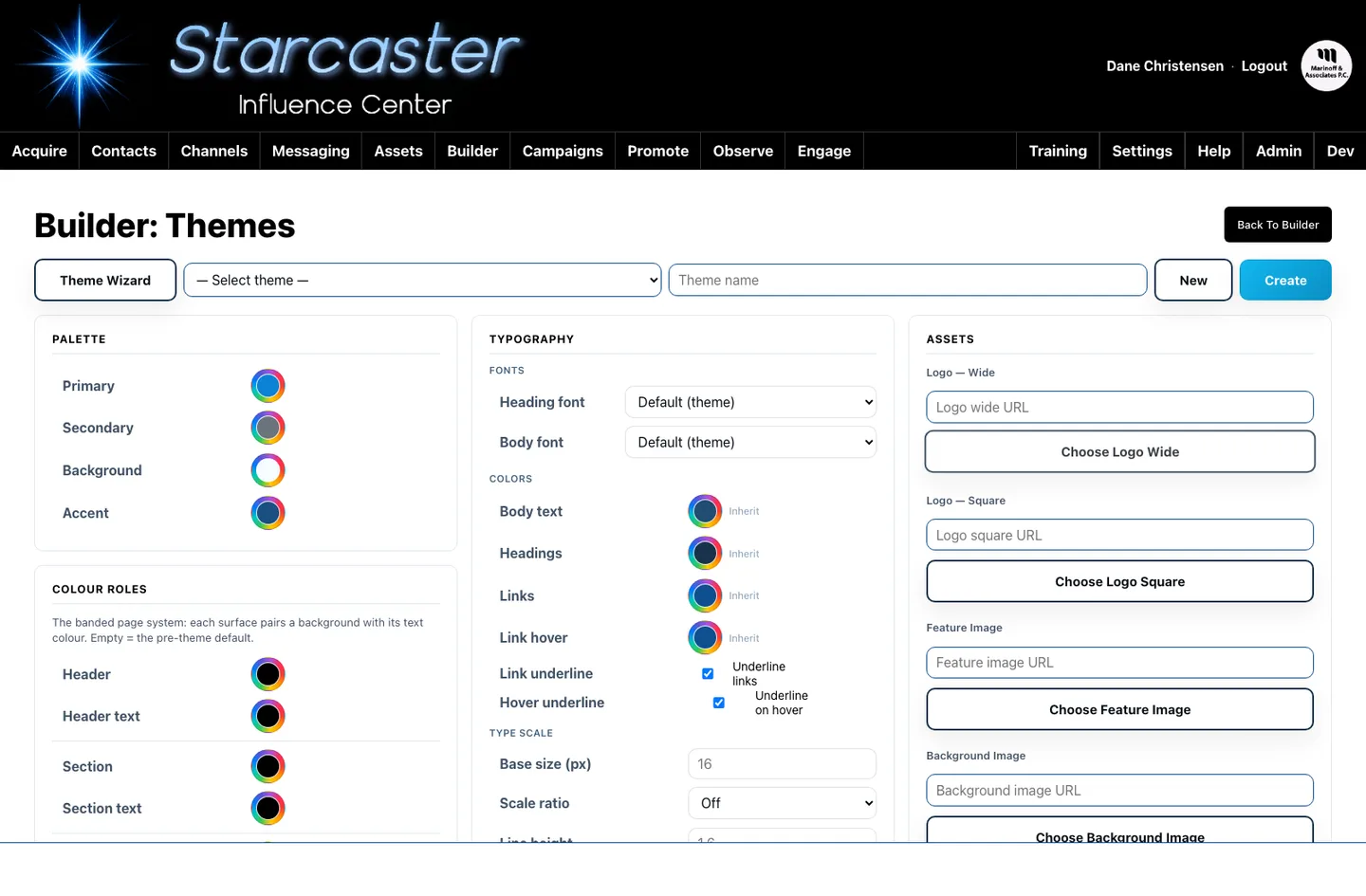
Fonts, colours, and spacing live in one theme per site instead of being typed into every element. Change a heading font or a brand colour once and every page updates as you watch. Individual modules can still override the theme where a particular design calls for it, without breaking the system.
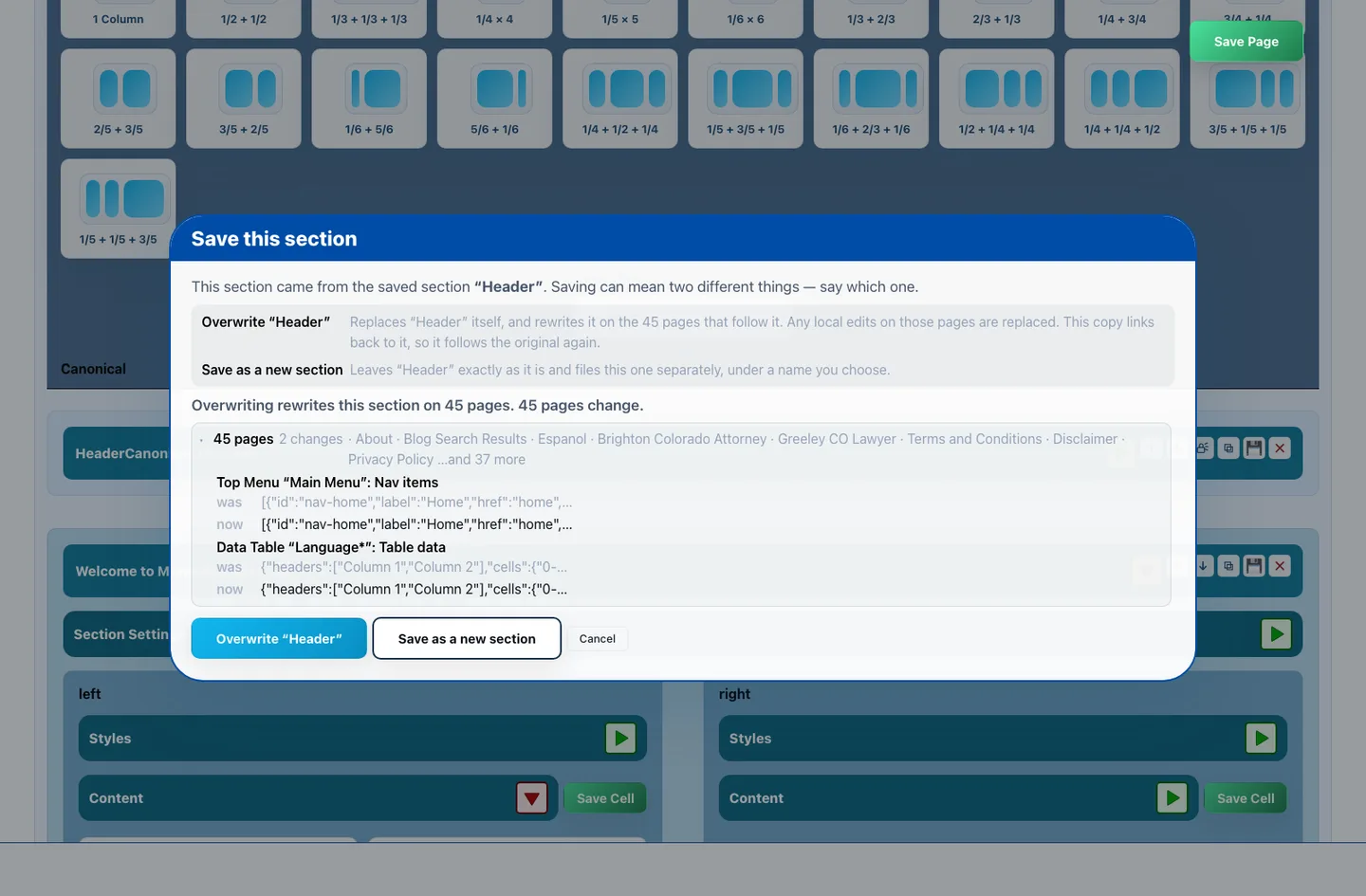
Build a header, footer, or call-to-action once, save it, and drop it onto as many pages as you like. Edit the saved original and every page carrying it updates together. Before that happens StarCaster shows you which pages will change and what changes on each, so nothing moves by surprise.
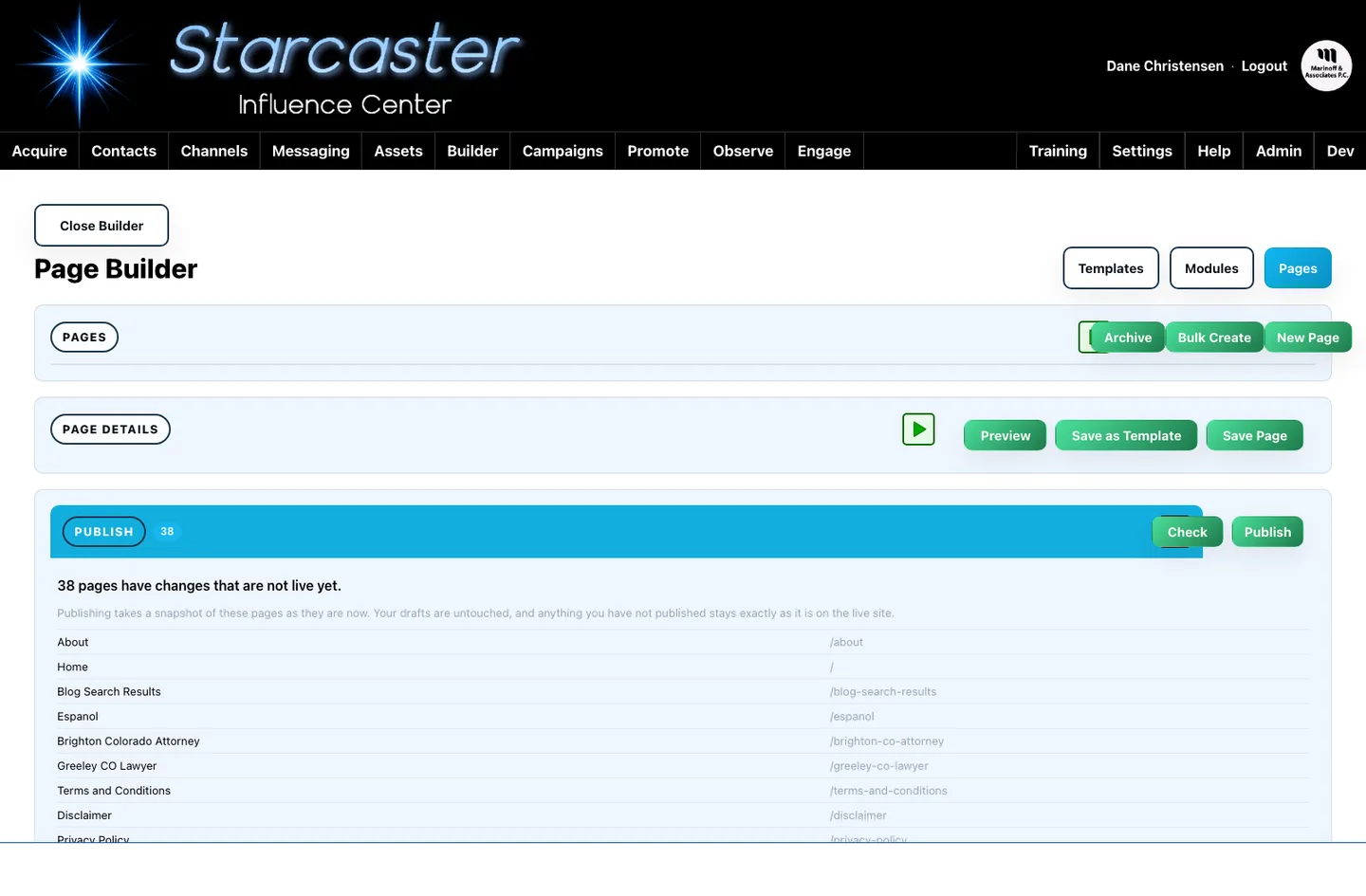
Your edits sit in a draft only you can see. Publishing pushes a fast, pre-rendered copy to the live site, so visitors never wait on the editor. Every save is kept as a revision, which means any page can be compared against an earlier version and restored when a change turns out wrong.
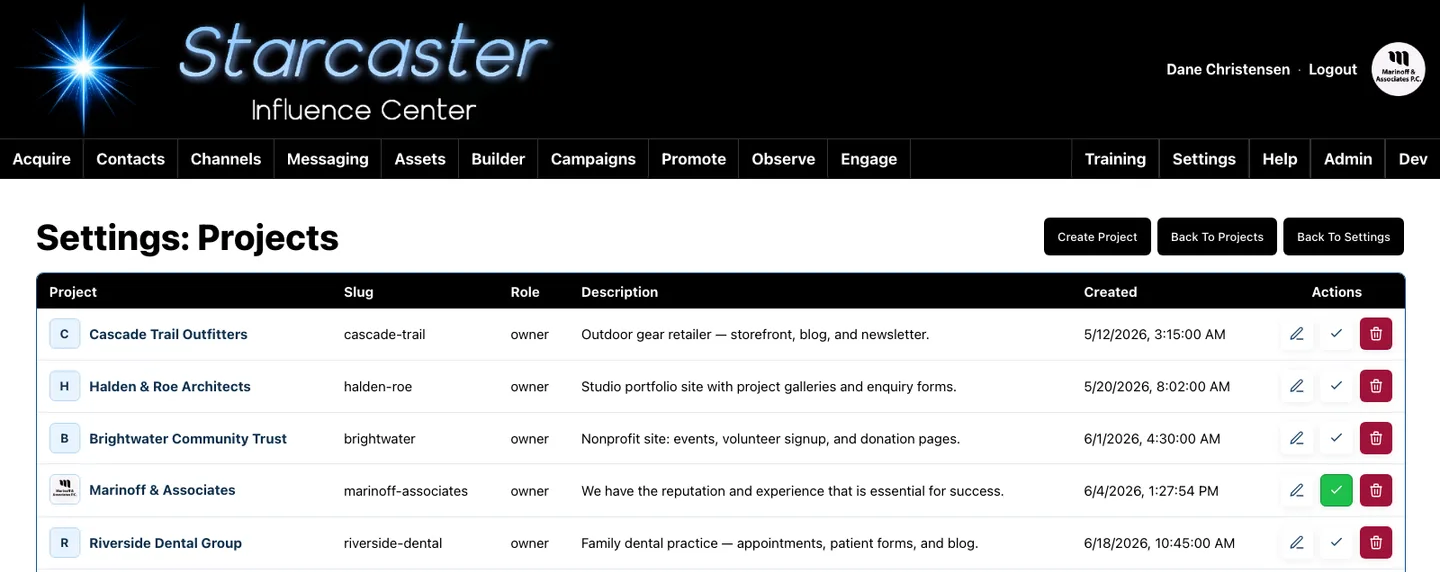
One StarCaster account runs many client sites, each on its own domain and each looking like a bespoke build. Every project is walled off: separate pages, contacts, content, media, and connected accounts. Switch projects from a single menu and the whole console follows you into that client's workspace.
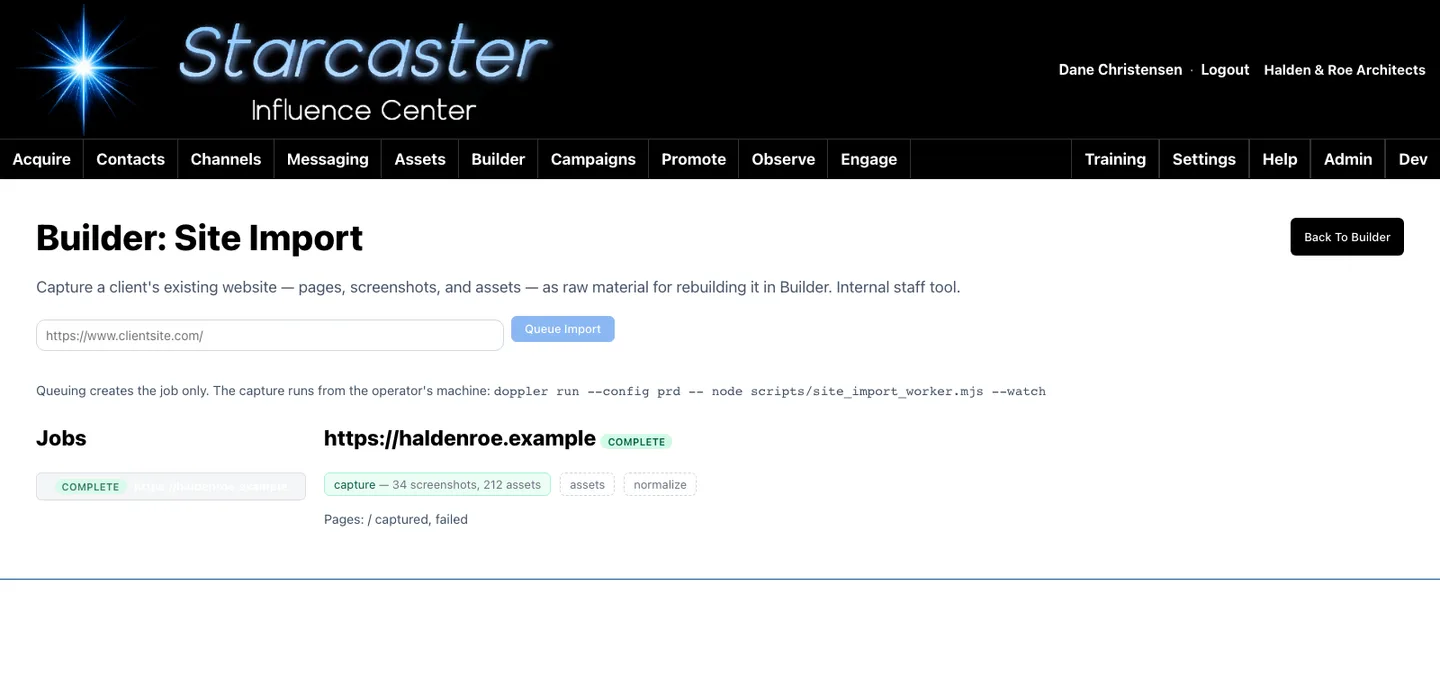
Point StarCaster at a live website and it crawls the pages, pulls down the words and the images, and rebuilds them as editable Builder drafts. Headings, galleries, and card grids come back as real modules rather than a frozen copy. A rebuild starts from the client's own content, not a blank page.
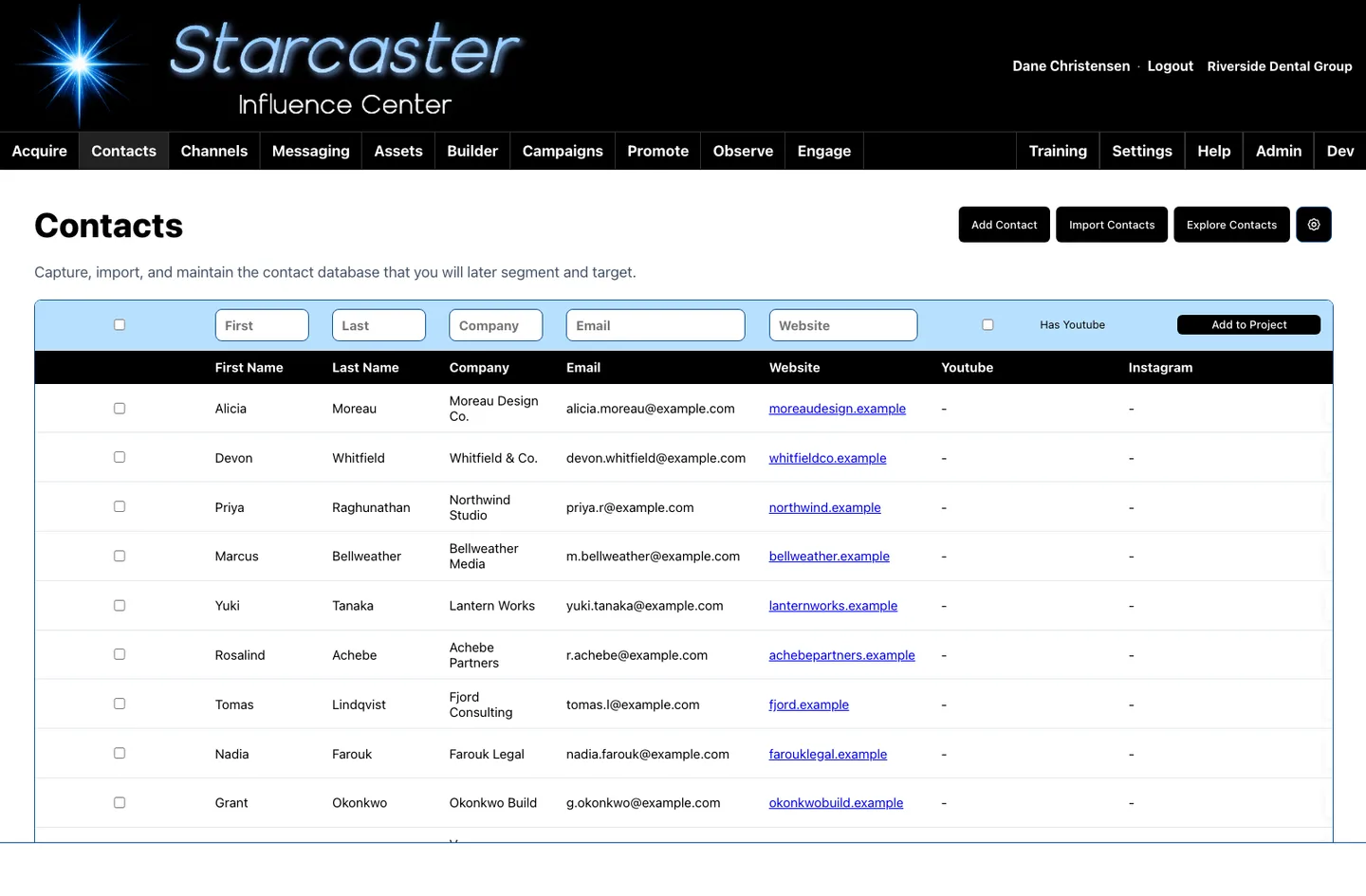
Drop a form onto any page and submissions land straight in that client's contact records — no export, no spreadsheet, no second login. Each project defines its own fields, statuses, sources, and tags, so a law firm and a tennis club can track entirely different things side by side.
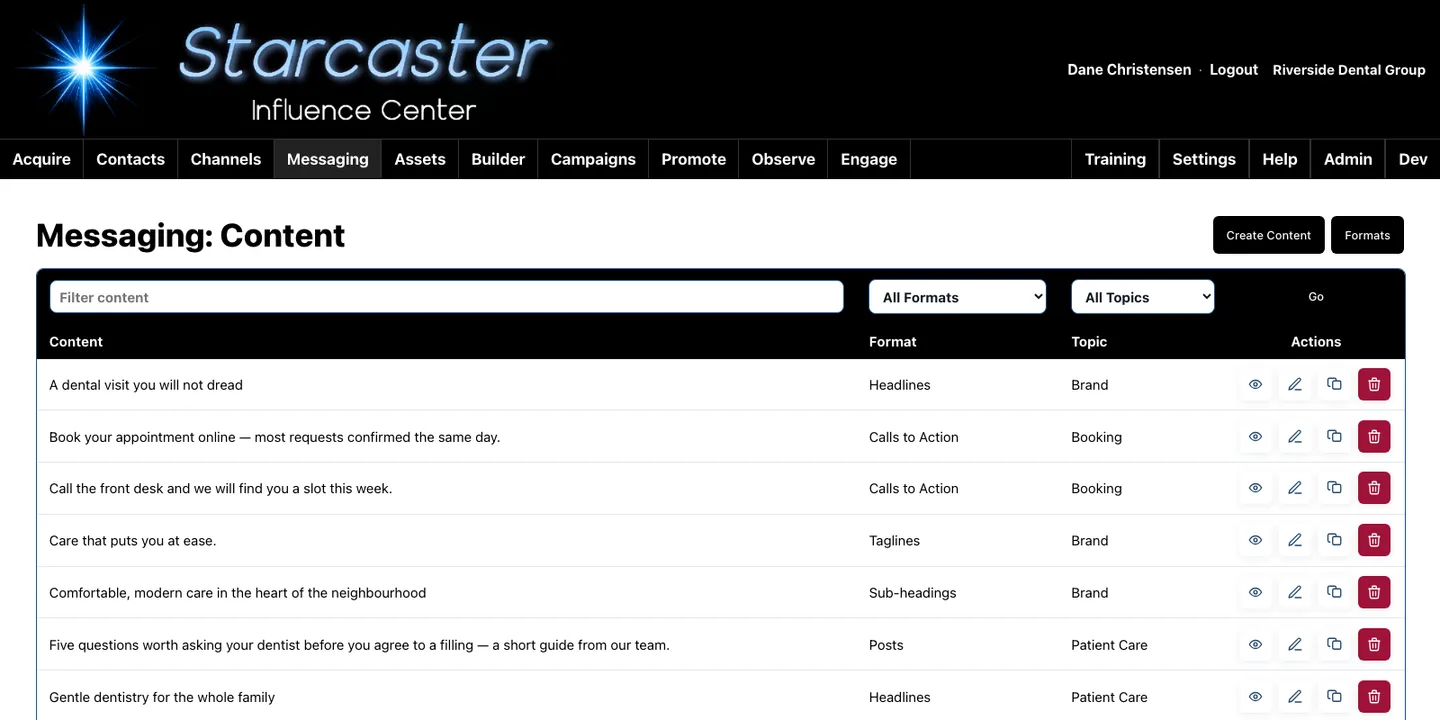
Headlines, taglines, posts, articles, calls-to-action, hashtags, and email copy live in one organised library instead of scattered documents. AI assistance drafts new pieces, sharpens weak ones, and spins variations while holding a consistent voice. Anything written once can be reused in a page, campaign, or post.
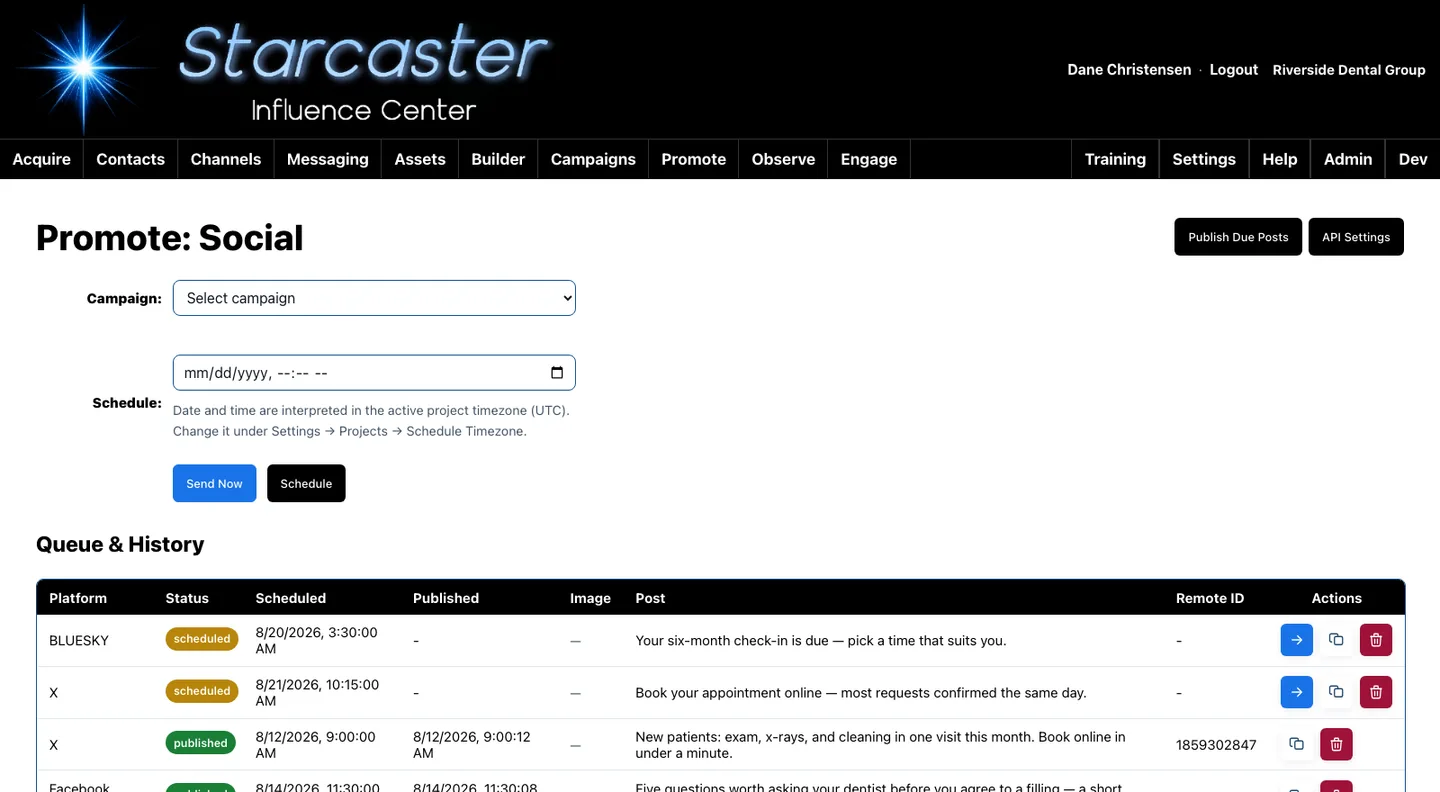
Connected accounts across X, Facebook, Instagram, YouTube, LinkedIn, Bluesky, Reddit and more publish from one screen, either immediately or on a schedule that runs itself. Engage brings the replies back — comments and conversations from those platforms in a single queue, so what happens after publishing does not get dropped.
Ten features is where a tour has to stop, not where the platform does. These sit alongside the ten above, in the same console, scoped to the same client workspaces.
Every one of these screens works on the same data, inside the same client workspace. That is the whole idea: the page you build, the people who fill in its form, the words you publish, and the conversations that follow are one system rather than ten.